Choose the smallest set of apps that closes a real gap in discovery, bundles, messaging, reviews or operations—and test it before peak traffic.
Holiday 2026 field guide. Start with the holiday growth center. Black Friday: November 27. Cyber Monday: November 30. Examples below are planning scenarios, not client results.
Must-have capabilities, not a must-install shopping list
A fast, reliable store with correct stock, clear delivery, working payments and useful follow-up matters more than the number of apps installed. Start by listing the jobs your theme and current tools already cover. Add an app only when a named owner can configure, test and maintain it.
Product names and listing information below were checked November 1, 2026. Availability, billing, integrations and plan restrictions can change. These are direct vendor links; no new affiliate relationship is claimed.
| Capability and candidate | When it is useful | Cost / caution / launch test |
|---|---|---|
| Shopify Search & Discovery | Filters, synonyms and recommendations when shoppers cannot find the right item. | Listed free. Theme support matters. Try actual search phrases and a no-result query on mobile. |
| Shopify Bundles | Fixed bundles and multipacks with component inventory. | Listed free. Check supported bundle types/channels, variants, discounts, stock and returns before choosing it. |
| Shopify Flow | Repeatable routing and internal operational workflows. | Listed free; some actions are plan-dependent. Test trigger, condition, duplicate run and failure behavior. |
| Shopify Messaging | A Shopify-native messaging option for merchants whose needs fit its capabilities. | Free to install is not unlimited free sending. Verify channel availability, consent, send charges and audience exclusions. |
| Klaviyo | More involved lifecycle segmentation and event-based messaging when the team can maintain it. | Check current profile/send billing and integrations. Keep an existing working platform near peak week unless a change is essential. |
| Judge.me | Collecting and displaying genuine product reviews. | A free plan is listed; paid features vary. Test widgets, email permissions and mobile load; never manufacture reviews. |
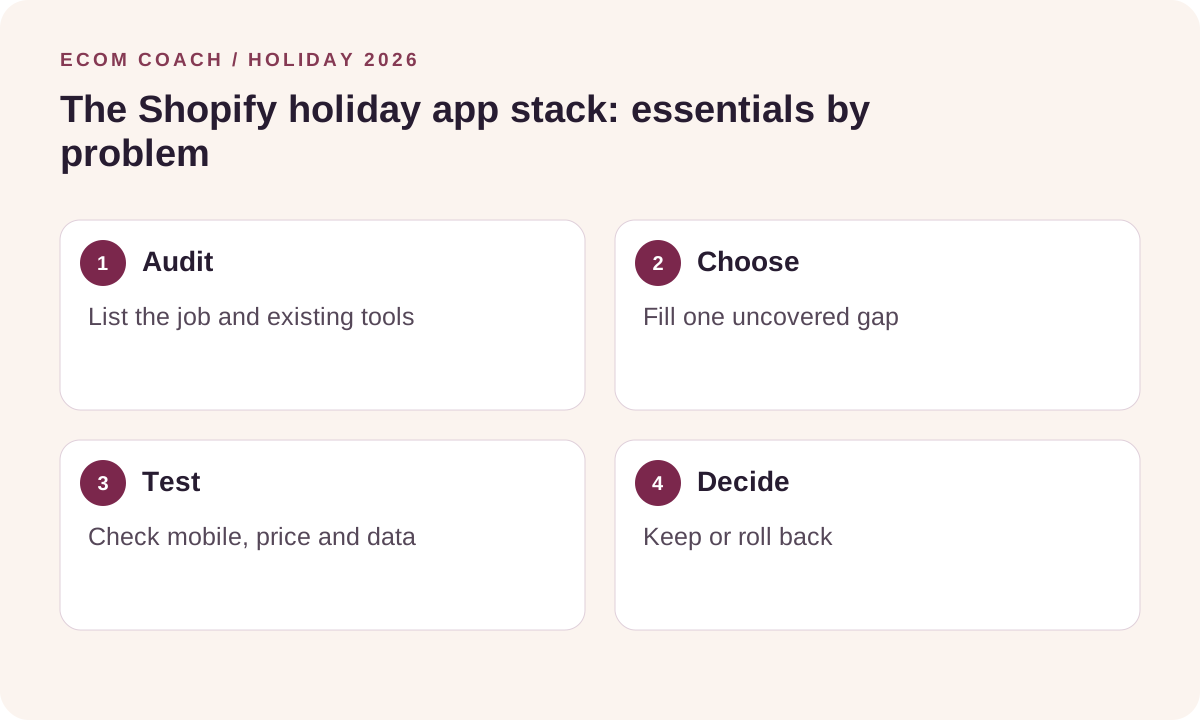
Step 1: write the job in one sentence
“Help customers choose a compatible accessory” is a useful brief. “Improve revenue with AI” is too vague. Define the starting measure and the behavior you expect to change. A new app should have a clear reason to exist alongside current search, email or review software.
Step 2: check cost and permissions
Look beyond the installation price: account tier, usage, contacts, messages, order volume, onboarding and agency time can all matter. Read requested access. Check whether removing the app leaves theme code, scripts, subscriptions or data behind. Record support availability and a rollback process.
Step 3: test a representative journey
- Preview on a duplicate theme or supported testing environment when possible.
- Use a phone to search, select a variant, add the bundle and apply a code.
- Verify price, stock, shipping, tax treatment and payment behavior with the platform’s approved test method.
- Check the confirmation, analytics events and fulfillment record.
- Test out-of-stock, duplicate-trigger and refund/partial-return cases that apply.
- Compare page behavior and loading before and after enabling the app.
Some apps affect checkout, inventory or marketing globally even when you preview a theme. Confirm the scope before testing; a theme copy alone does not isolate every integration.
Step 4: make the keep/remove decision
Choose an observation window and write down who will review it. If the app adds friction, duplicate messaging or unreliable stock behavior, disable it and restore the previous setup. Do not add a new app immediately before a promotion unless you have time to test and reverse it.
Before paying for a new reporting tool, use the free daily scorecard. Before buying an upsell tool, use the promotion calculator. If a capability is already working well, the most useful holiday task may be QA.
Implementation help
The Store Growth Review can identify the purchase-journey gap before you choose software. The Lifecycle Revenue Sprint covers one agreed email flow in an existing platform. Software fees remain separate from the service scope.
Download the free holiday action workbook or calculate your daily scorecard.
Ecommerce Growth Coaching · $750 / month
Two working sessions per month on one growth priority, with written next steps and one agreed artifact review.
Start with a free fit conversation. A written scope and payment instructions come before paid work begins.