Your store can do more without rebuilding it. Use app marketplaces to find the capability you need, then test whether it improves the business.
We went through the pain of this so you don’t have to. The useful question is not “Which apps should every store have?” It is “What does my customer or team need to do that is difficult today?” Start there, and the marketplace becomes a way to solve a problem rather than collect subscriptions.
An app can add subscriptions, product personalization, gift wrapping, reviews, better search, booking, wholesale ordering or operational integrations. First check whether your platform, theme or an app you already pay for can do the job.
Start in your platform’s marketplace
| Your platform | Official starting point | What to check |
|---|---|---|
| Shopify | Shopify App Store | Supported plans, theme and checkout compatibility, permissions and the complete pricing model. |
| WooCommerce | WooCommerce Marketplace | WordPress, WooCommerce and PHP compatibility; supported checkout; updates, licensing and developer support. |
| BigCommerce | BigCommerce Apps & Integrations | Storefront and checkout support, catalog limits, integrations and billing arrangements. |
| Ecwid | Ecwid App Market | Plan and storefront support, data synchronization, ongoing costs and support ownership. |
Use the marketplace for the platform your store actually runs on. A Shopify app is not automatically a plugin you can install on a custom website. For a custom-built store, investigate the service’s documented API or supported integration and budget for development and maintenance. Read our shopping cart comparison if you are still choosing a platform.
In Shopify, search for a feature or category, and use the Built for Shopify filter when comparing compatible options. It is a quality signal, not proof of fit or a promise of higher sales. Paid placements carry an “Ad” label. Shopify’s Sidekick can also help surface options from a description of your goal; verify each listing yourself. Shopify explains its discovery and recommendation tools here.
12 useful capabilities to look for
These are search ideas, not a list of apps to install all at once. Choose the row that matches a real question, lost sale or recurring task in your store.
| The job you need done | Try searching for | Check whether it helps |
|---|---|---|
| Help people find the right product | Product filters, search, recommendations, product quiz | Search exits, successful product discovery and purchase contribution; confirm mobile usability. |
| Increase useful basket size | Product bundles, mix and match, complementary products | Contribution per order, units per order and discount stacking; verify component stock. |
| Sell gifts with less back-and-forth | Gift wrap, gift message, delivery date, gift registry | Correct gift details in fulfillment, realistic delivery promises and support questions. |
| Offer personalization | Product options, engraving, image upload, product customizer | Option pricing, production-ready order details, file handling and fewer production errors. |
| Sell replenishable products repeatedly | Subscriptions, recurring orders, replenishment reminders | Second purchases, subscription contribution, failed payments and easy cancellation. |
| Recover interest when stock returns | Back-in-stock alerts, waitlist, preorders | Valid notification consent, accurate availability and completed profitable orders. |
| Make considered purchases easier | Product comparison, appointments, request a quote, consultations | Qualified conversations, time to decision and completed high-ticket purchases. |
| Collect credible product proof | Product reviews, photo reviews, UGC | Review-request timing, moderation, accessibility and ability to export your data. |
| Improve follow-up | Email automation, cart recovery, post-purchase flows, loyalty | Eligibility rules, duplicate messages, repeat purchases and margin after rewards. |
| Reduce order and stock administration | Inventory sync, shipping labels, 3PL connector, accounting sync | Fewer manual corrections, accurate identifiers, error alerts and hours saved. |
| Support another way of buying | Wholesale, B2B pricing, volume pricing, digital downloads | Correct customer access, pricing, tax setup, payment terms and delivery behavior. |
| Help customers after the sale | Order tracking, returns portal, exchanges, support helpdesk | Resolution time, exchange outcomes, support workload and total operating cost. |
For specific Shopify starting points, see the holiday app stack. For unfamiliar labels such as AOV, LTV, CAC, API or 3PL, keep the ecommerce terms guide open beside this article.
From a search result to a useful addition
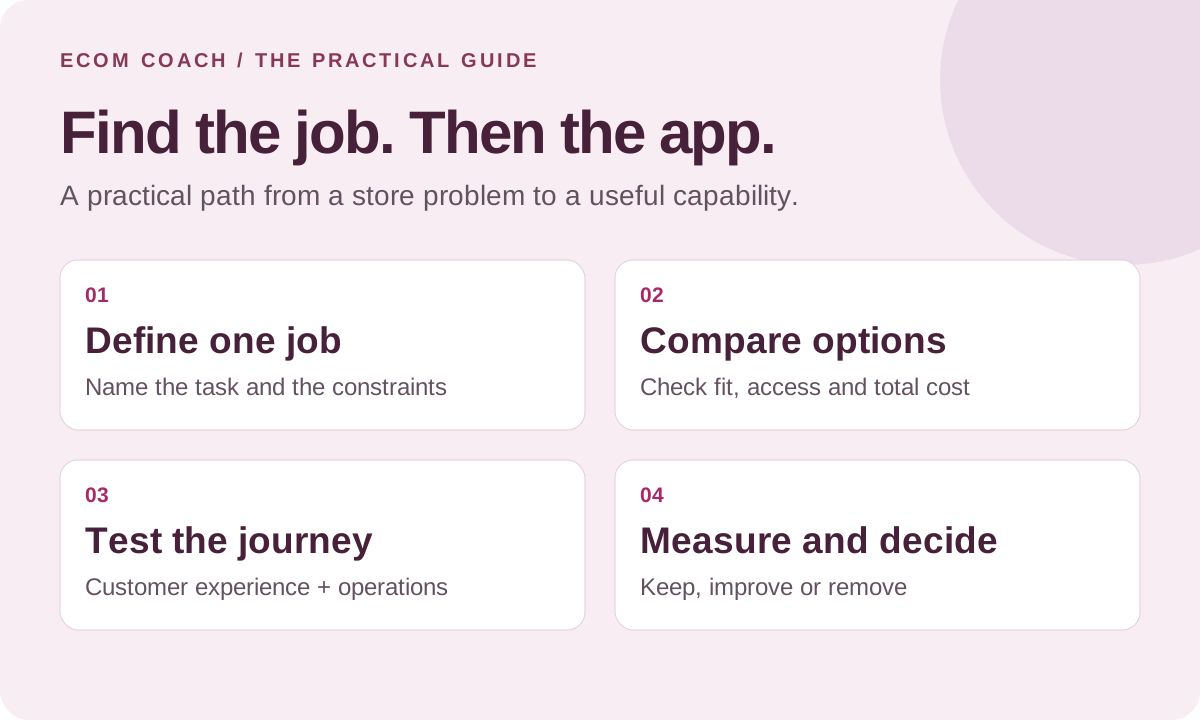
Write a one-sentence job
“Customers need to choose a gift message that prints on the packing slip.” Add the constraints: theme, plan, languages, order volume, existing fulfillment tool and budget. Define the behavior you need before comparing feature lists.
Check what you already have
Review built-in settings, theme features and current subscriptions. Ask the existing provider whether the feature is included. Use the app audit checklist to identify overlaps and dependencies.
Compare up to three credible options
Read the listing, documentation, recent reviews and developer responses. Look for reviews from stores with a similar catalog and workflow. Ask one concrete support question about your hardest requirement. Ratings and installation counts alone cannot establish fit.
Understand the full cost and access
Check recurring, usage, transaction and setup charges; trial end dates; paid features; and the next pricing tier. Read requested permissions, privacy information, data export and deletion options. Confirm who will own the app and approve its charges.
Test the complete buying and operating path
Use staging or a supported test store where possible. A duplicate theme only isolates part of the experience. Check the feature on mobile, keyboard navigation, page speed, product variants, discounts, payment, stock, confirmation, fulfillment and refund handling. Some tests require coordinated live setup; know the effects before proceeding.
Launch with a review date and exit plan
Record the baseline, success measure, owner and review date. Install one overlapping storefront feature at a time so problems are easier to trace. Compare enough relevant activity to make a useful decision; a low-volume store may need longer than a trial to assess sales impact.
Shopify documents installation permissions and recurring, usage and one-time charges. “Free to install” does not necessarily mean the feature or usage you need is free.
Copy this comparison brief
Problem and evidence:
Required customer or team action:
Platform, plan, theme and other tools:
Three must-have capabilities:
Monthly cost at current and peak volume:
Setup work and ongoing owner:
Permissions and customer data accessed:
Compatibility questions for the developer:
Test orders or scenarios to run:
Baseline, success measure and review date:
Data export, cancellation and removal steps:
Will the app pay for itself?
Start with incremental contribution or a measurable operational saving. Do not assume the app’s attributed sales would all disappear without it.
A simple monthly break-even example
An app costs $100 per month. Each genuinely additional order leaves $20 after product, fulfillment, shipping, fees and incremental acquisition costs, but before the app subscription. It needs $100 ÷ $20 = five additional orders per month to cover that subscription.
If setup costs $300, the first month needs ($100 + $300) ÷ $20 = 20 additional orders to cover subscription and setup. Usage charges and ongoing staff work increase the requirement.
If the app instead saves four hours valued at $30 an hour, that is $120 of potential capacity. After the $100 subscription, the modeled benefit is $20 before setup costs. Saved time becomes cash savings only when spending actually falls; otherwise it is time you can redirect.
Five additional orders cover a $100 monthly app.
Each tile represents $20 contribution after all other variable costs, including any incremental acquisition cost, but before this app subscription.
5 × $20 = $100. Covering $300 setup as well as the first $100 month requires 20 additional orders at the same contribution. App-attributed orders are not automatically additional orders.
Keep a small set of guardrails: purchase completion, page performance, support burden and contribution per order. An upsell app that raises AOV while lowering contribution needs a different decision from one that improves both. Review the contribution definition if the calculation is unclear.
Make removal part of the plan
Before uninstalling, export needed data, identify dependent flows and confirm cleanup with the developer. Shopify says some apps leave theme code behind; uninstalling does not cancel subscriptions billed externally. Check outstanding charges and any inventory locations managed by the app. Test the affected journey after removal. Read Shopify’s uninstall guidance.
Let an AI assistant do the first comparison
An assistant can turn requirements into search terms, summarize current listings, draft developer questions and prepare test cases. Give it public documentation and your constraints; it does not need customer records to create a shortlist.
I run a [platform and plan] store selling [products].
The problem is [specific customer or team task].
My must-haves are [three requirements].
My current tools are [list], with [monthly orders] and a budget of [amount].

First identify any built-in or already-paid-for option.
Then compare up to three compatible apps using current official listings and documentation.
For each, provide source links, supported workflow, total likely cost, permissions, limitations, export/removal steps and questions we must confirm.
Mark unknowns as unknown. Prepare a test checklist.
Do not install anything, approve charges or change my store.
Validate the recommendation against the actual feature tier and your test results. The right outcome may be a new app, a better setting, a small workflow change or a simpler page. Make the choice that fixes the job you started with.
Official marketplace and help links reviewed November 2, 2026. Features, plans and prices change. The marketplaces above are direct links; this article contains no paid app placement.
Ecommerce Growth Coaching · $750 / month
Two working sessions per month on one growth priority, with written next steps and one agreed artifact review.
Start with a free fit conversation. A written scope and payment instructions come before paid work begins.